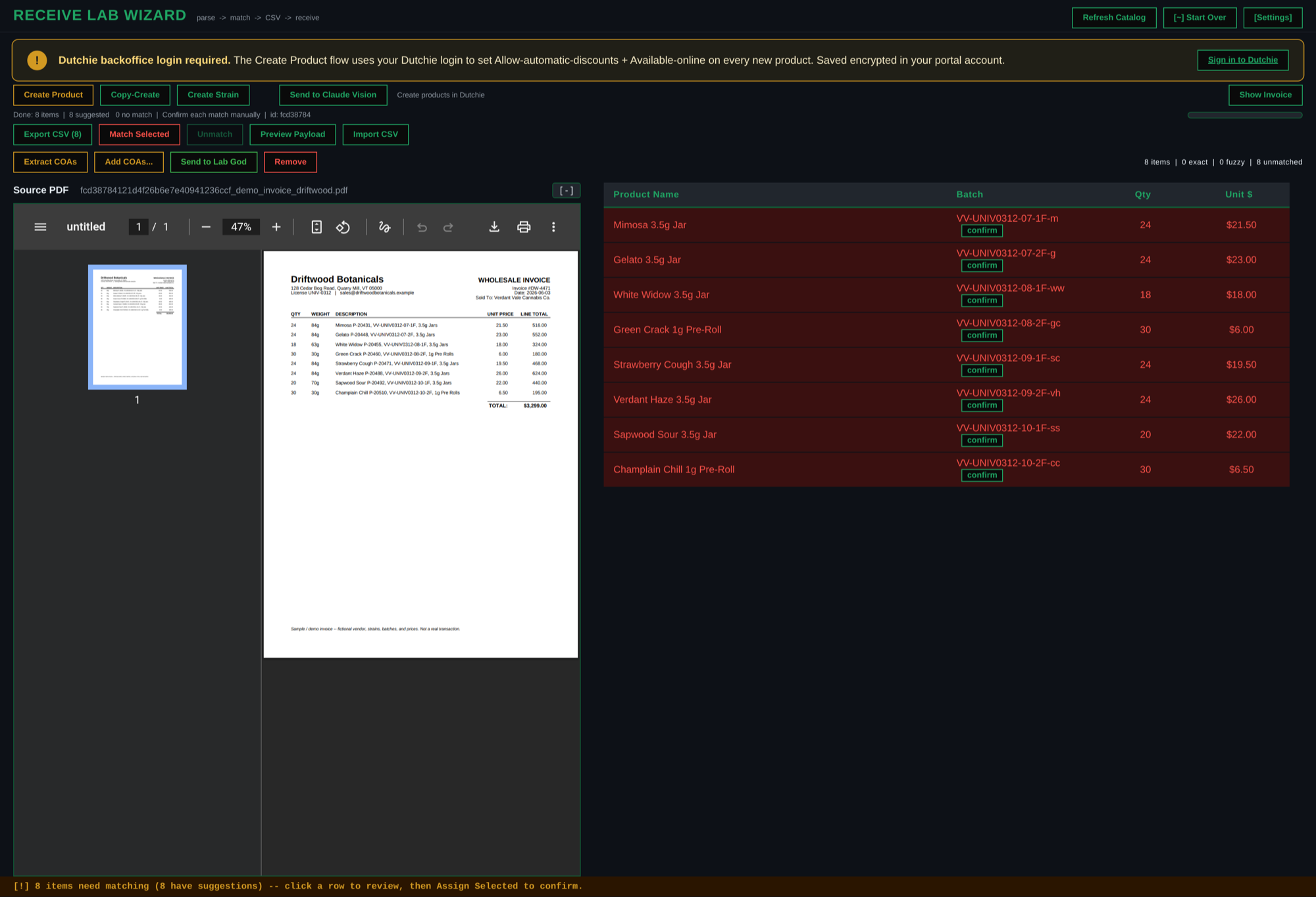
One tool: your Dutchie matches up front, the invoice preview a click away, batches already read off the PDF.
Right now you receive cannabis with the vendor's PDF invoice open in one window and Dutchie in another, hand-typing every batch number across. Receive Wizard does it in one tool: your catalog matches in front of you, the invoice a click away to check against, with the batch numbers already read off the invoice for you. About 80% faster time-to-receive -- and you never hand-type a batch again.
One tool: your Dutchie matches up front, the invoice preview a click away, batches already read off the PDF.
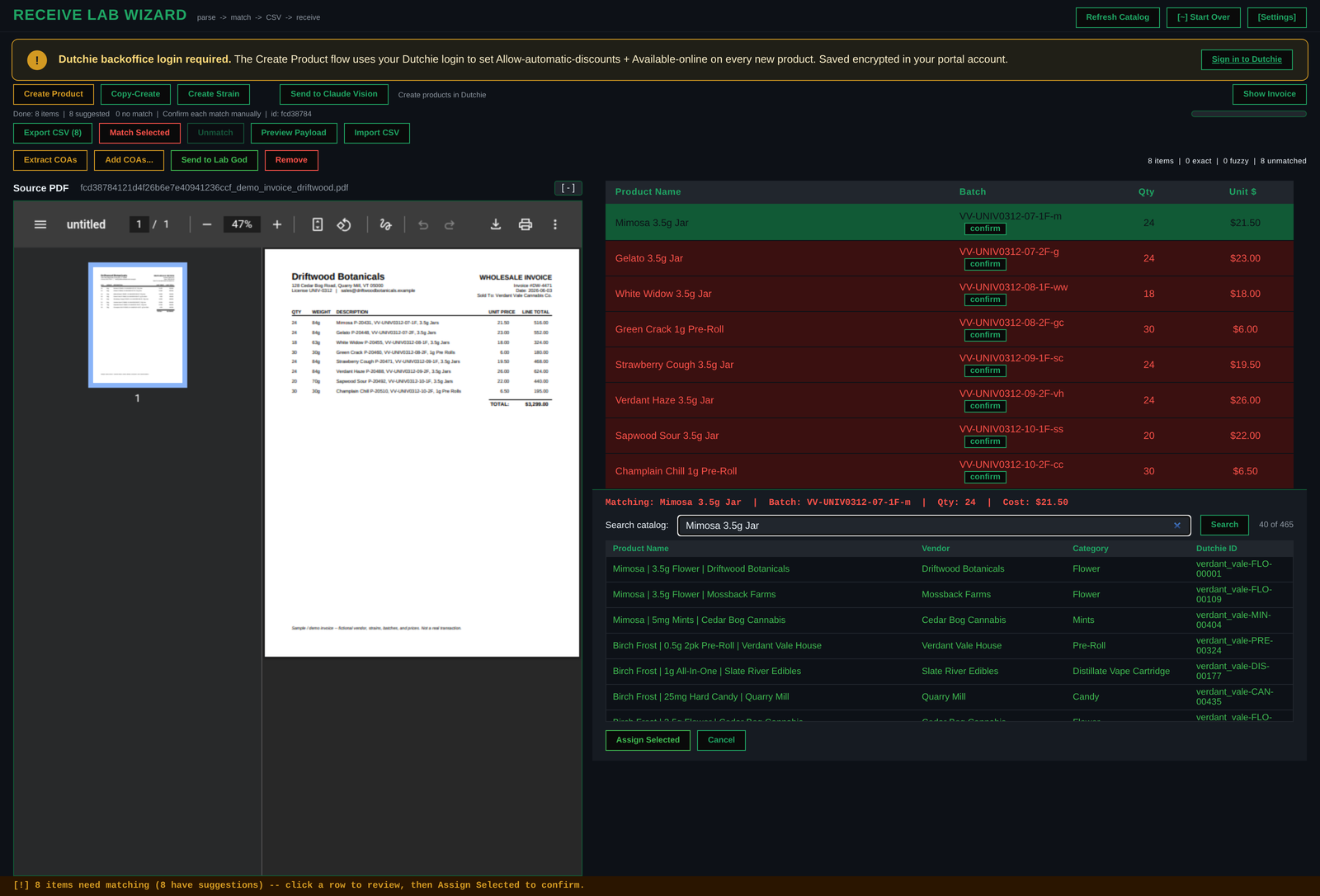
Click an item up top -- its match against your Dutchie inventory and your whole catalog history opens at the bottom. Confirm it, and the batch is already handled.
Drop the vendor's invoice in. Click any item in the list up top, and the wizard searches it against two things at once: your live Dutchie inventory, and every product you have ever put in your catalog. It guesses the match and lays the candidates out below -- you confirm. The SKU and the batch number lift straight off the invoice into the CSV the wizard builds -- and from there into your point of sale -- without you ever typing either one. That is time saved on every line, and a transcription error that never happens.
Drag the vendor's PDF in. The wizard reads every line, every weight, and the batch number off each one -- no hand-typing. Optional Claude vision speeds the read on tricky scans.
Your catalog matches in one window, the invoice a click away to check against. Green is matched. Gold needs a glance. Red is a new SKU you create right there. No flipping between two apps.
Out comes a Dutchie-ready table. Bring it into Dutchie and click right through confirming, instead of adding every item by hand. Receive in moments.
Receiving used to eat my whole week. This is the tool that gave it back -- about 80% faster, and not one batch hand-typed. -- the receive promise